Elements

All Elements

All Elements

Animated Input

The following can be omitted if geolocation is not needed:

    <div class="geo">
        <button>
            <span class="icon-geolocation"></span>
            Use My Location
        </button>
    </div>
<div class="animated-input-container">
	<input class="animated-input" type="text" name="location" value="" autocomplete="off" id="uniqueID" />
	<div class="input-button">
		<button href="#0" role="button" aria-label="Search Button"><span class="icon-search"></span></button>
	</div>

	<div class="animated-label">
		<label for="uniqueID">ZIP Code or Address</label>
	</div>
	<div class="geo">
		<button>
			<span class="icon-geolocation"></span>
			Use My Location
		</button>
	</div>
</div>

Article

alt text

At GetGo™ Cafe + Market, we love good food.

So we built a team of classically trained chefs to focus on making better food and they delivered. Our menu is loaded with creativity and choices. So you can customize anything to your cravings. You’ve got to taste these unique, signature subs, our big, juicy burgers and loaded wraps, eye-opening breakfast sandwiches and all of the sip-able goodness from our hand-crafted smoothies and espresso drinks. But, wait, it gets better.

We’ve got all-day breakfast, non-stop lunch, perpetual dinner and snacks around the clock. We’ve got 100% premium Arabica coffee blends brewed fresh. You’ll find crisp, green salads. We’ve got treats both fried and frozen, pizzas with any toppings you like and some you’ve never considered like melty Philly cheesesteak. Heck, we’ll put tots on your sub.
alt text

Our focus is on food made fresh to order but we’ve also got plenty of grab-and-go delights and other ways to make your day even better. Enjoy our surcharge-free ATMs, free WIFI, free air for your tires, a huge array of retailer gift cards, lottery tickets and, of course, gasoline at great prices thanks to fuelperks+!

We’re not just different. We’re GetGo.

Better. Believe it.

<div class="article">

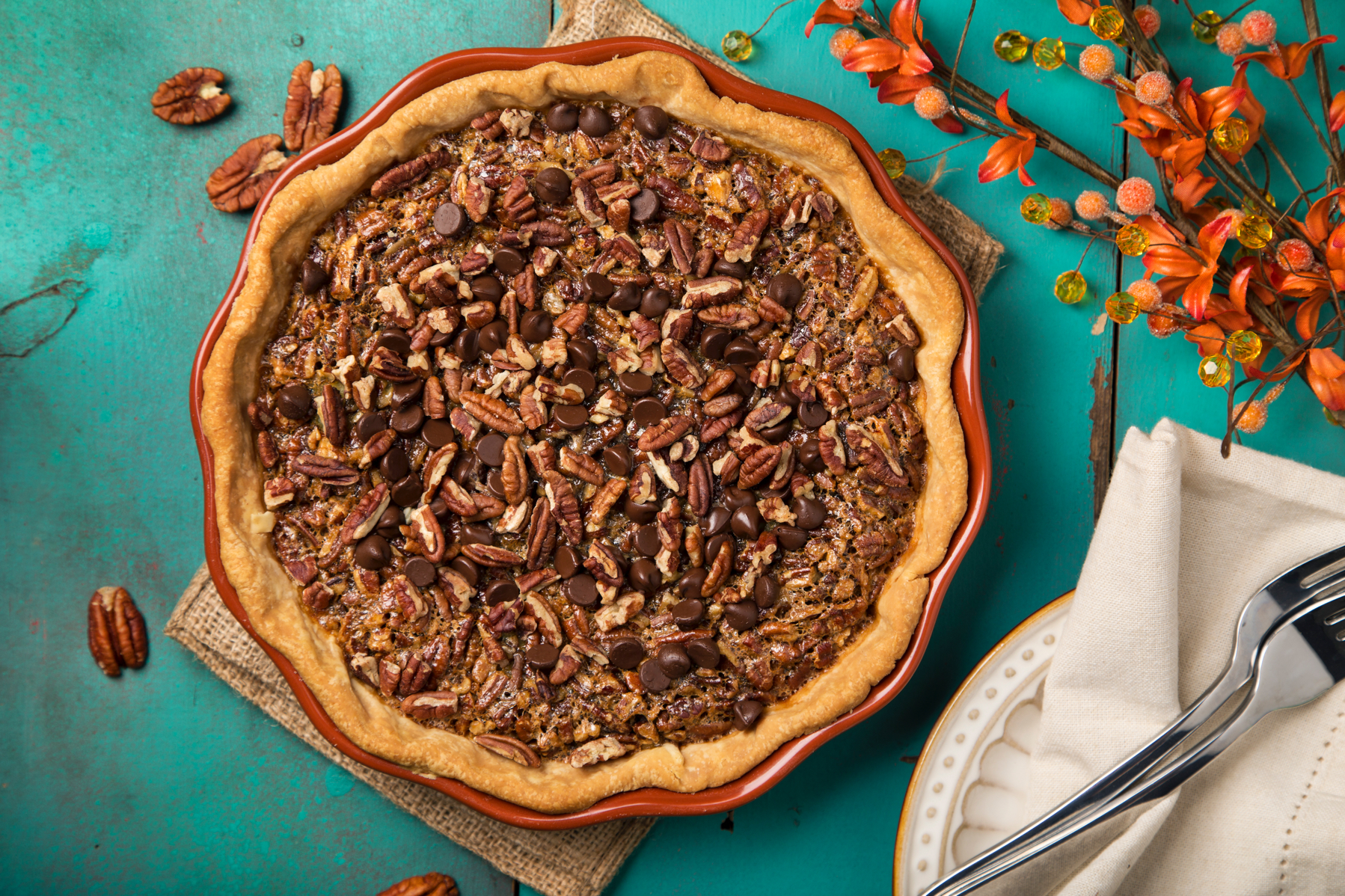
	<img src="/assets/toolkit/images/recipe-pie.jpg" alt="alt text" />

	<h2>At GetGo™ Cafe + Market, we love good food.</h2>

	<p>So we built a team of classically trained chefs to focus on making better food and they delivered. Our menu is loaded with creativity and choices. So you can customize anything to your cravings. You’ve got to taste these unique, signature subs, our big, juicy burgers and loaded wraps, eye-opening breakfast sandwiches and all of the sip-able goodness from our hand-crafted smoothies and espresso drinks. But, wait, it gets better.</p>

	<p>We’ve got all-day breakfast, non-stop lunch, perpetual dinner and snacks around the clock. We’ve got 100% premium Arabica coffee blends brewed fresh. You’ll find crisp, green salads. We’ve got treats both fried and frozen, pizzas with any toppings you like and some you’ve never considered like melty Philly cheesesteak. Heck, we’ll put tots on your sub.</p>

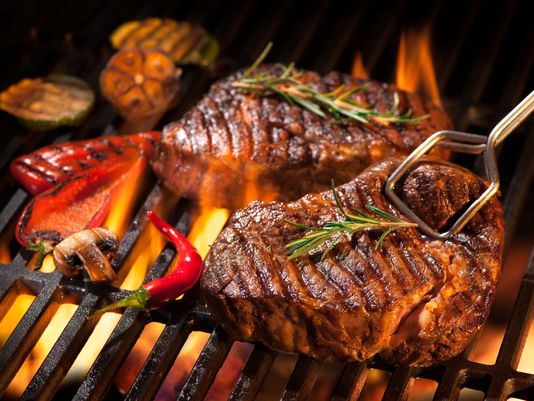
	<img src="/assets/toolkit/images/meats-grilling.jpg" alt="alt text" />

	<p>Our focus is on food made fresh to order but we’ve also got plenty of grab-and-go delights and other ways to make your day even better. Enjoy our surcharge-free ATMs, free WIFI, free air for your tires, a huge array of retailer gift cards, lottery tickets and, of course, gasoline at great prices thanks to fuelperks+!</p>

	<p">We’re not just different. We’re GetGo.</p>

		<h2>Better. Believe it.</h2>

</div>

Button V2

Buttons

button-large button-primary

Button with icon: button-large button-primary

Button with icon: button-large button-primary

button-large button-secondary

button-large button-white

button-large button-text

button-medium button-primary

button-medium button-secondary

button-medium button-text

button-small button-primary

button-small button-secondary

button-small button-text

button-large button-primary button-full-width

button-medium button-primary button-full-width

button-small button-primary button-full-width

button-large button-secondary button-full-width

button-medium button-secondary button-full-width

button-small button-secondary button-full-width

button-large button-text button-full-width

button-medium button-text button-full-width

button-small button-text button-full-width

Add disabled to any button

<p style="margin: 10px 0 0 0">button-large button-primary</p>
<button class="button-large button-primary" data-content="click-btn" aria-label="Giant Eagle Button">Button</button>

<p style="margin: 10px 0 0 0">Button with icon: button-large button-primary</p>
<button class="button-large button-primary" data-content="click-btn" aria-label="Giant Eagle Button"><span class="icon-left icon-Cart"></span>Button</button>

<p style="margin: 10px 0 0 0">Button with icon: button-large button-primary</p>
<button class="button-large button-primary" data-content="click-btn" aria-label="Giant Eagle Button">Button<span class="icon-right icon-Cart"></span></button>

<p style="margin: 10px 0 0 0">button-large button-secondary</p>
<button class="button-large button-secondary" data-content="click-btn" aria-label="Giant Eagle Button">Button</button>

<p style="margin: 10px 0 0 0">button-large button-white</p>
<button class="button-large button-white" data-content="click-btn" aria-label="Giant Eagle Button">Button</button>

<p style="margin: 10px 0 0 0">button-large button-text</p>
<button class="button-large button-text" data-content="click-btn" aria-label="Giant Eagle Button">Button</button>

<p style="margin: 10px 0 0 0">button-medium button-primary</p>
<button class="button-medium button-primary" data-content="click-btn" aria-label="Giant Eagle Button">Button</button>

<p style="margin: 10px 0 0 0">button-medium button-secondary</p>
<button class="button-medium button-secondary" data-content="click-btn" aria-label="Giant Eagle Button"> Button</button>

<p style="margin: 10px 0 0 0">button-medium button-text</p>
<button class="button-medium button-text" data-content="click-btn" aria-label="Giant Eagle Button">Button</button>


<p style="margin: 10px 0 0 0">button-small button-primary</p>
<button class="button-small button-primary">Button</button>

<p style="margin: 10px 0 0 0">button-small button-secondary</p>
<button class="button-small button-secondary">Button</button>

<p style="margin: 10px 0 0 0">button-small button-text</p>
<button class="button-small button-text">Button</button>

<p style="margin: 10px 0 0 0">button-large button-primary button-full-width</p>
<button class="button-large button-primary button-full-width">Button</button>

<p style="margin: 10px 0 0 0">button-medium button-primary button-full-width</p>
<button class="button-medium button-primary button-full-width">Button</button>

<p style="margin: 10px 0 0 0">button-small button-primary button-full-width</p>
<button class="button-small button-primary button-full-width">Button</button>

<p style="margin: 10px 0 0 0">button-large button-secondary button-full-width</p>
<button class="button-large button-secondary button-full-width">Button</button>

<p style="margin: 10px 0 0 0">button-medium button-secondary button-full-width</p>
<button class="button-medium button-secondary button-full-width">Button</button>

<p style="margin: 10px 0 0 0">button-small button-secondary button-full-width</p>
<button class="button-small button-secondary button-full-width">Button</button>

<p style="margin: 10px 0 0 0">button-large button-text button-full-width</p>
<button class="button-large button-text button-full-width">Button</button>

<p style="margin: 10px 0 0 0">button-medium button-text button-full-width</p>
<button class="button-medium button-text button-full-width">Button</button>

<p style="margin: 10px 0 0 0">button-small button-text button-full-width</p>
<button class="button-small button-text button-full-width">Button</button>

<p style="margin: 10px 0 0 0">Add disabled to any button</p>
<button class="button-large button-primary disabled">Button</button>
<button class="button-large button-secondary disabled">Button</button>
<button class="button-large button-text disabled">Button</button>

Checkbox

<label class="input-contain">
	<input type="checkbox">
	<span class="checkmark"></span>
	Unchecked
</label>

<label class="input-contain">
	<input type="checkbox" checked="checked">
	<span class="checkmark"></span>
	Checked
</label>

<label class="input-contain">
	<input type="checkbox" disabled>
	<span class="checkmark"></span>
	Disabled
</label>

Colors

Color: $red, $primary

Hex: #C8102E

Color: $blue, $secondary

Hex: #2071ce

Color: $green

Hex: #2e722b

Color: $yellow

Hex: #fbd40f

Color: $white

Hex: #ffffff

Color: $black

Hex: #000f15

Color: $dark-gray, $gunmetal

Hex: #2d3a40

Color: $medium-gray, $stormcloud

Hex: #5b666a

Color: $silver

Hex: #8a9194

Color: $light-gray, $gray

Hex: #b9bdbf

Color: $platinum

Hex: #e7e9e9

<div class="colorblock">
	<div class="colorblock-color red">
	</div>
	<div class="redtext">
		<p>Color: $red, $primary</p>
		<p>Hex: #C8102E</p>
	</div>
</div>

<div class="colorblock">
	<div class="colorblock-color blue">
	</div>
	<div class="bluetext">
		<p>Color: $blue, $secondary</p>
		<p>Hex: #2071ce</p>
	</div>
</div>


<div class="colorblock">
	<div class="colorblock-color green">
	</div>
	<div class="greentext">
		<p>Color: $green</p>
		<p>Hex: #2e722b</p>
	</div>
</div>

<div class="colorblock">
	<div class="colorblock-color yellow">
	</div>
	<div class="yellowtext">
		<p>Color: $yellow</p>
		<p>Hex: #fbd40f</p>
	</div>
</div>

<div class="colorblock">
	<div class="colorblock-color white">
	</div>
	<div class="whitetext">
		<p>Color: $white</p>
		<p>Hex: #ffffff</p>
	</div>
</div>


<div class="colorblock">
	<div class="colorblock-color black">
	</div>
	<div class="blacktext">
		<p>Color: $black</p>
		<p>Hex: #000f15</p>
	</div>
</div>

<div class="colorblock">
	<div class="colorblock-color gunmetal">
	</div>
	<div class="gunmetaltext">
		<p>Color: $dark-gray, $gunmetal</p>
		<p>Hex: #2d3a40</p>
	</div>
</div>

<div class="colorblock">
	<div class="colorblock-color stormcloud">
	</div>
	<div class="stormcloudtext">
		<p>Color: $medium-gray, $stormcloud</p>
		<p>Hex: #5b666a</p>
	</div>
</div>

<div class="colorblock">
	<div class="colorblock-color silver">
	</div>
	<div class="silvertext">
		<p>Color: $silver</p>
		<p>Hex: #8a9194</p>
	</div>
</div>

<div class="colorblock">
	<div class="colorblock-color light-gray">
	</div>
	<div class="lightgraytext">
		<p>Color: $light-gray, $gray</p>
		<p>Hex: #b9bdbf</p>
	</div>
</div>


<div class="colorblock">
	<div class="colorblock-color platinum">
	</div>
	<div class="platinumtext">
		<p>Color: $platinum</p>
		<p>Hex: #e7e9e9</p>
	</div>
</div>

Filters

<div class="filters-bar">
	<div class="filters-scroll">
		<button class="chip chip-icon-left slide-control" aria-controls="filterMenu" aria-expanded="false" data-slide="slide-down" data-origin="left-primary-menu-slide" data-name="Filter">Filter</button>
		<button class="chip reset hidden" data-name="Reset">Reset</button>
		<div class="chip-container">
			<button class="chip chip-icon-right dropdown-chip" aria-controls="sortFilter" aria-expanded="false" data-slide="slide-down" data-origin="left-primary-menu-slide" data-name="Sort">Sort</button>
			<div id="sortFilter" class="filter-dropdown hidden" aria-hidden="true">
				<div class="right-check" aria-hidden="ture">
					<input id="sortRelevance" class="control-chip" type="radio" name="sort" data-name="Relevance" tabindex="-1">
					<label for="sortRelevance" class="right-check-label" tabindex="0">
						Relevance
					</label>
					<span class="right-checkmark"></span>
				</div>
				<div class="right-check" aria-hidden="ture">
					<input id="sortDateAdded" class="control-chip" type="radio" name="sort" data-name="Date Added" tabindex="-1">
					<label for="sortDateAdded" class="right-check-label" tabindex="0">
						Date Added
					</label>
					<span class="right-checkmark"></span>
				</div>

				<button class="filter-clear secondary-icon-right hidden" tabindex="0" aria-controls="sort" data-secondary="Sort">Clear</button>
			</div>
		</div>
		<div class="chip-container">
			<button class="chip chip-icon-right dropdown-chip" aria-controls="fuelFilter" aria-expanded="false" data-slide="slide-down" data-origin="left-primary-menu-slide" data-name="fuel">Fuel Type</button>
			<div id="fuelFilter" class="filter-dropdown hidden">
				<div class="right-check" aria-hidden="ture">
					<input id="sortUnleaded" class="control-chip" data-name="Unleaded-sort" type="radio" name="fuel-sort" tabindex="-1">
					<label for="sortUnleaded" class="right-check-label" tabindex="0">
						Unleaded
					</label>
					<span class="right-checkmark"></span>
				</div>
				<div class="right-check" aria-hidden="ture">
					<input id="sortPlus" class="control-chip" data-name="Plus-sort" type="radio" name="fuel-sort" tabindex="-1">
					<label for="sortPlus" class="right-check-label" tabindex="0">
						Plus
					</label>
					<span class="right-checkmark"></span>
				</div>
				<div class="right-check" aria-hidden="ture">
					<input id="sortPremium" class="control-chip" data-name="Premium-sort" type="radio" name="fuel-sort" tabindex="-1">
					<label for="sortPremium" class="right-check-label" tabindex="0">
						Premium
					</label>
					<span class="right-checkmark"></span>
				</div>
				<div class="right-check" aria-hidden="ture">
					<input id="sortDiesel" class="control-chip" data-name="Diesel-sort" type="radio" name="fuel-sort" tabindex="-1">
					<label for="sortDiesel" class="right-check-label" tabindex="0">
						Diesel
					</label>
					<span class="right-checkmark"></span>
				</div>
				<div class="right-check" aria-hidden="ture">
					<input id="sortKerosene" class="control-chip" data-name="Kerosene-sort" type="radio" name="fuel-sort" tabindex="-1">
					<label for="sortKerosene" class="right-check-label" tabindex="0">
						Kerosene
					</label>
					<span class="right-checkmark"></span>
				</div>
				<button class="filter-clear secondary-icon-right hidden" tabindex="0" aria-controls="fuel-sort" data-secondary="fuel">Clear</button>
			</div>
		</div>
		<button class="chip control-chip active" data-name="Online Ordering">Online Ordering</button>
		<button class="chip control-chip" data-name="Carwash">Car Wash</button>
		<button class="chip control-chip" data-name="Beer">Beer</button>
	</div>

</div>

Icons

New Icons Post 2020
icon-tiktok
icon-pharmacy2
icon-myPerks
icon-myPerks-text
icon-myPerks-gray
icon-myPerks-filled
icon-Giant-Eagle-lowercase
icon-md-white
Icons Pre-2020
icon-user-circle
icon-shopping-bag
icon-phone-laptop
icon-map-marker-sm
icon-advantage-pay
icon-bars
icon-car-wash
icon-contact
icon-getgo-home
icon-getgo-locator
icon-menu
icon-history
icon-Pill-Arrow
icon-Curbside
icon-Fuel
icon-Curbside-G
icon-Fuel-G
icon-fuelperks
icon-perks
icon-Services
icon-Store-copy
icon-Weekly-Ad
icon-Call
icon-Catering
icon-Groceries
icon-Sale
icon-User
icon-GetGo
icon-List
icon-Store
icon-eCoupons
icon-Edit
icon-Gift-Cards
icon-Weekly-Ad-G
icon-Cakes
icon-Recipes
icon-curbside-cart
icon-fuel-pump
icon-store
icon-icon-takeout
icon-fb
icon-pinterest
icon-twitter
icon-youtube
icon-angle-down
icon-angle-left
icon-angle-right
icon-angle-up
icon-apple
icon-bell
icon-cake
icon-card
icon-caret-down
icon-caret-left
icon-caret-right
icon-caret-up
icon-Cart
icon-cart
icon-Directions
icon-chat
icon-close
icon-coupon
icon-curbside
icon-eye
icon-list
icon-location
icon-market-district
icon-menu
icon-piggy
icon-planner
icon-search
icon-user
icon-icon_ecoupons
icon-icon_weekly_ad
icon-directions-light
icon-directions-solid
icon-pharmacy
icon-Pharmacy
icon-transfer-prescription
icon-manage-prescription
icon-refill-prescription
icon-Refill
<textarea name="" id="" cols="60" rows="2" class="center">
   <span class="icon icon-perks"></span>
Copy and replace with appropriate class from below:</textarea>

<div class="icons-overview m30">
	<div class="row">
		<div class="col-xs-12 col-sm-4 col-lg-4">
			New Icons Post 2020<br />


			<div class="glyph fs1">
				<div class="clearfix bshadow0 pbs">
					<span class="icon icon-tiktok"></span>
					<span class="mls"> icon-tiktok</span>
				</div>
			</div>


			<div class="glyph fs1">
				<div class="clearfix bshadow0 pbs">
					<span class="icon icon-pharmacy2"></span>
					<span class="mls"> icon-pharmacy2</span>
				</div>
			</div>


		</div>
		<div class="col-xs-12 col-sm-4 col-lg-4">
			<div class="glyph fs1">
				<div class="clearfix bshadow0 pbs">
					<span class="icon icon-myPerks"><span class="path1"></span><span class="path2"></span></span>
					<span class="mls"> icon-myPerks</span>
				</div>
			</div>

			<div class="glyph fs1">
				<div class="clearfix bshadow0 pbs">
					<span class="icon icon-myPerks-text"><span class="path1"></span><span class="path2"></span><span class="path3"></span></span>
					<span class="mls"> icon-myPerks-text</span>
				</div>
			</div>
			<div class="glyph fs1">
				<div class="clearfix bshadow0 pbs">
					<span class="icon icon-myPerks-gray"></span>
					<span class="mls"> icon-myPerks-gray</span>
				</div>
			</div>
			<div class="glyph fs1">
				<div class="clearfix bshadow0 pbs">
					<span class="icon icon-myPerks-filled"></span>
					<span class="mls"> icon-myPerks-filled</span>
				</div>
			</div>
		</div>
		<div class="col-xs-12 col-sm-4 col-lg-4">
			<div class="glyph fs1">
				<div class="clearfix bshadow0 pbs">
					<span class="icon icon-Giant-Eagle-lowercase"></span>
					<span class="mls"> icon-Giant-Eagle-lowercase</span>
				</div>
			</div>
			<div class="glyph fs1">
				<div class="clearfix bshadow0 pbs" style="background:gray;">
					<span class="icon icon-md-white"></span>
					<span class="mls"> icon-md-white</span>
				</div>
			</div>
		</div>

	</div>
</div>
<!--Start older Icons -->
<div class="icons-overview m30">
	<div class="row">
		<div class="col-xs-12 col-sm-4 col-lg-4">
			Icons Pre-2020
			<div class="glyph fs1">
				<div class="clearfix bshadow0 pbs">
					<span class="icon icon-user-circle"></span>
					<span class="mls"> icon-user-circle</span>
				</div>
			</div>
			<div class="glyph fs1">
				<div class="clearfix bshadow0 pbs">
					<span class="icon icon-shopping-bag"></span>
					<span class="mls"> icon-shopping-bag</span>
				</div>
			</div>
			<div class="glyph fs1">
				<div class="clearfix bshadow0 pbs">
					<span class="icon icon-phone-laptop"></span>
					<span class="mls"> icon-phone-laptop</span>
				</div>
			</div>
			<div class="glyph fs1">
				<div class="clearfix bshadow0 pbs">
					<span class="icon  icon-map-marker-sm"></span>
					<span class="mls"> icon-map-marker-sm</span>
				</div>
			</div>

			<div class="glyph fs1">
				<div class="clearfix bshadow0 pbs">
					<span class="icon icon-advantage-pay"></span>
					<span class="mls"> icon-advantage-pay</span>
				</div>
			</div>
			<div class="glyph fs1">
				<div class="clearfix bshadow0 pbs">
					<span class="icon icon-bars"></span>
					<span class="mls"> icon-bars</span>
				</div>
			</div>
			<div class="glyph fs1">
				<div class="clearfix bshadow0 pbs">
					<span class="icon icon-car-wash"></span>
					<span class="mls"> icon-car-wash</span>
				</div>
			</div>
			<div class="glyph fs1">
				<div class="clearfix bshadow0 pbs">
					<span class="icon icon-contact"></span>
					<span class="mls"> icon-contact</span>
				</div>
			</div>
			<div class="glyph fs1">
				<div class="clearfix bshadow0 pbs">
					<span class="icon icon-getgo-home"></span>
					<span class="mls"> icon-getgo-home</span>
				</div>
			</div>
			<div class="glyph fs1">
				<div class="clearfix bshadow0 pbs">
					<span class="icon icon-getgo-locator"></span>
					<span class="mls"> icon-getgo-locator</span>
				</div>
			</div>
			<div class="glyph fs1">
				<div class="clearfix bshadow0 pbs">
					<span class="icon icon-menu"></span>
					<span class="mls"> icon-menu</span>
				</div>
			</div>
			<div class="glyph fs1">
				<div class="clearfix bshadow0 pbs">
					<span class="icon icon-history"></span>
					<span class="mls"> icon-history</span>
				</div>
			</div>

			<div class="glyph fs1">
				<div class="clearfix bshadow0 pbs">
					<span class="icon icon-Pill-Arrow"></span>
					<span class="mls"> icon-Pill-Arrow</span>
				</div>
			</div>
			<div class="glyph fs1">
				<div class="clearfix bshadow0 pbs">
					<span class="icon icon-Curbside"></span>
					<span class="mls"> icon-Curbside</span>
				</div>
			</div>
			<div class="glyph fs1">
				<div class="clearfix bshadow0 pbs">
					<span class="icon icon-Fuel"></span>
					<span class="mls"> icon-Fuel</span>
				</div>
			</div>
			<div class="glyph fs1">
				<div class="clearfix bshadow0 pbs">
					<span class="icon icon-Curbside-G"></span>
					<span class="mls"> icon-Curbside-G</span>
				</div>
			</div>
			<div class="glyph fs1">
				<div class="clearfix bshadow0 pbs">
					<span class="icon icon-Fuel-G"></span>
					<span class="mls"> icon-Fuel-G</span>
				</div>
			</div>
			<div class="glyph fs1">
				<div class="clearfix bshadow0 pbs">
					<span class="icon icon-fuelperks"></span>
					<span class="mls"> icon-fuelperks</span>
				</div>
			</div>
			<div class="glyph fs1">
				<div class="clearfix bshadow0 pbs">
					<span class="icon icon-perks"></span>
					<span class="mls"> icon-perks</span>
				</div>
			</div>
			<div class="glyph fs1">
				<div class="clearfix bshadow0 pbs">
					<span class="icon icon-Services"></span>
					<span class="mls"> icon-Services</span>
				</div>
			</div>
			<div class="glyph fs1">
				<div class="clearfix bshadow0 pbs">
					<span class="icon icon-Store-copy"></span>
					<span class="mls"> icon-Store-copy</span>
				</div>
			</div>
			<div class="glyph fs1">
				<div class="clearfix bshadow0 pbs">
					<span class="icon icon-Weekly-Ad"></span>
					<span class="mls"> icon-Weekly-Ad</span>
				</div>
			</div>
			<div class="glyph fs1">
				<div class="clearfix bshadow0 pbs">
					<span class="icon icon-Call"></span>
					<span class="mls"> icon-Call</span>
				</div>
			</div>
			<div class="glyph fs1">
				<div class="clearfix bshadow0 pbs">
					<span class="icon icon-Catering"></span>
					<span class="mls"> icon-Catering</span>
				</div>
			</div>
			<div class="glyph fs1">
				<div class="clearfix bshadow0 pbs">
					<span class="icon icon-Groceries"></span>
					<span class="mls"> icon-Groceries</span>
				</div>
			</div>
			<div class="glyph fs1">
				<div class="clearfix bshadow0 pbs">
					<span class="icon icon-Sale"></span>
					<span class="mls"> icon-Sale</span>
				</div>
			</div>
			<div class="glyph fs1">
				<div class="clearfix bshadow0 pbs">
					<span class="icon icon-User"></span>
					<span class="mls"> icon-User</span>
				</div>
			</div>


		</div>
		<div class="col-xs-12 col-sm-4 col-lg-4">
			<div class="glyph fs1">
				<div class="clearfix bshadow0 pbs">
					<span class="icon icon-GetGo"></span>
					<span class="mls"> icon-GetGo</span>
				</div>
			</div>
			<div class="glyph fs1">
				<div class="clearfix bshadow0 pbs">
					<span class="icon icon-List"></span>
					<span class="mls"> icon-List</span>
				</div>
			</div>
			<div class="glyph fs1">
				<div class="clearfix bshadow0 pbs">
					<span class="icon icon-Store"></span>
					<span class="mls"> icon-Store</span>
				</div>
			</div>
			<div class="glyph fs1">
				<div class="clearfix bshadow0 pbs">
					<span class="icon icon-eCoupons"> </span>
					<span class="mls"> icon-eCoupons</span>
				</div>
			</div>


			<div class="glyph fs1">
				<div class="clearfix bshadow0 pbs">
					<span class="icon icon-Edit"></span>
					<span class="mls"> icon-Edit</span>
				</div>
			</div>
			<div class="glyph fs1">
				<div class="clearfix bshadow0 pbs">
					<span class="icon icon-Gift-Cards"></span>
					<span class="mls"> icon-Gift-Cards</span>
				</div>
			</div>


			<div class="glyph fs1">
				<div class="clearfix bshadow0 pbs">
					<span class="icon icon-Weekly-Ad-G">

					</span>
					<span class="mls"> icon-Weekly-Ad-G</span>
				</div>
			</div>
			<div class="glyph fs1">
				<div class="clearfix bshadow0 pbs">
					<span class="icon icon-Cakes">

					</span>
					<span class="mls"> icon-Cakes</span>
				</div>
			</div>
			<div class="glyph fs1">
				<div class="clearfix bshadow0 pbs">
					<span class="icon icon-Recipes">

					</span>
					<span class="mls"> icon-Recipes</span>
				</div>
			</div>
			<div class="glyph fs1">
				<div class="clearfix bshadow0 pbs">
					<span class="icon icon-curbside-cart">

					</span>
					<span class="mls"> icon-curbside-cart</span>
				</div>
			</div>
			<div class="glyph fs1">
				<div class="clearfix bshadow0 pbs">
					<span class="icon icon-fuel-pump">

					</span>
					<span class="mls"> icon-fuel-pump</span>
				</div>
			</div>
			<div class="glyph fs1">
				<div class="clearfix bshadow0 pbs">
					<span class="icon icon-store">

					</span>
					<span class="mls"> icon-store</span>
				</div>
			</div>
			<div class="glyph fs1">
				<div class="clearfix bshadow0 pbs">
					<span class="icon icon-icon-takeout">

					</span>
					<span class="mls"> icon-icon-takeout</span>
				</div>
			</div>
			<div class="glyph fs1">
				<div class="clearfix bshadow0 pbs">
					<span class="icon icon-fb">

					</span>
					<span class="mls"> icon-fb</span>
				</div>
			</div>
			<div class="glyph fs1">
				<div class="clearfix bshadow0 pbs">
					<span class="icon icon-pinterest">

					</span>
					<span class="mls"> icon-pinterest</span>
				</div>
			</div>
			<div class="glyph fs1">
				<div class="clearfix bshadow0 pbs">
					<span class="icon icon-twitter">

					</span>
					<span class="mls"> icon-twitter</span>
				</div>
			</div>
			<div class="glyph fs1">
				<div class="clearfix bshadow0 pbs">
					<span class="icon icon-youtube">

					</span>
					<span class="mls"> icon-youtube</span>
				</div>
			</div>
			<div class="glyph fs1">
				<div class="clearfix bshadow0 pbs">
					<span class="icon icon-angle-down">

					</span>
					<span class="mls"> icon-angle-down</span>
				</div>
			</div>
			<div class="glyph fs1">
				<div class="clearfix bshadow0 pbs">
					<span class="icon icon-angle-left">

					</span>
					<span class="mls"> icon-angle-left</span>
				</div>
			</div>
			<div class="glyph fs1">
				<div class="clearfix bshadow0 pbs">
					<span class="icon icon-angle-right">

					</span>
					<span class="mls"> icon-angle-right</span>
				</div>
			</div>
			<div class="glyph fs1">
				<div class="clearfix bshadow0 pbs">
					<span class="icon icon-angle-up">

					</span>
					<span class="mls"> icon-angle-up</span>
				</div>
			</div>
			<div class="glyph fs1">
				<div class="clearfix bshadow0 pbs">
					<span class="icon icon-apple">

					</span>
					<span class="mls"> icon-apple</span>
				</div>
			</div>


			<div class="glyph fs1">
				<div class="clearfix bshadow0 pbs">
					<span class="icon icon-bell">

					</span>
					<span class="mls"> icon-bell</span>
				</div>
			</div>
			<div class="glyph fs1">
				<div class="clearfix bshadow0 pbs">
					<span class="icon icon-cake">

					</span>
					<span class="mls"> icon-cake</span>
				</div>
			</div>
			<div class="glyph fs1">
				<div class="clearfix bshadow0 pbs">
					<span class="icon icon-card">

					</span>
					<span class="mls"> icon-card</span>
				</div>
			</div>
			<div class="glyph fs1">
				<div class="clearfix bshadow0 pbs">
					<span class="icon icon-caret-down">

					</span>
					<span class="mls"> icon-caret-down</span>
				</div>
			</div>
			<div class="glyph fs1">
				<div class="clearfix bshadow0 pbs">
					<span class="icon icon-caret-left">

					</span>
					<span class="mls"> icon-caret-left</span>
				</div>
			</div>
			<div class="glyph fs1">
				<div class="clearfix bshadow0 pbs">
					<span class="icon icon-caret-right">

					</span>
					<span class="mls"> icon-caret-right</span>
				</div>
			</div>
			<div class="glyph fs1">
				<div class="clearfix bshadow0 pbs">
					<span class="icon icon-caret-up">

					</span>
					<span class="mls"> icon-caret-up</span>
				</div>
			</div>

		</div>
		<div class="col-xs-12 col-sm-4 col-lg-4">

			<div class="glyph fs1">
				<div class="clearfix bshadow0 pbs">
					<span class="icon icon-Cart"></span>
					<span class="mls"> icon-Cart</span>
				</div>
			</div>
			<div class="glyph fs1">
				<div class="clearfix bshadow0 pbs">
					<span class="icon icon-cart">

					</span>
					<span class="mls"> icon-cart</span>
				</div>
			</div>
			<div class="glyph fs1">
				<div class="clearfix bshadow0 pbs">
					<span class="icon icon-Directions"></span>
					<span class="mls"> icon-Directions</span>
				</div>
			</div>

			<div class="glyph fs1">
				<div class="clearfix bshadow0 pbs">
					<span class="icon icon-chat">

					</span>
					<span class="mls"> icon-chat</span>
				</div>
			</div>
			<div class="glyph fs1">
				<div class="clearfix bshadow0 pbs">
					<span class="icon icon-close">

					</span>
					<span class="mls"> icon-close</span>
				</div>
			</div>
			<div class="glyph fs1">
				<div class="clearfix bshadow0 pbs">
					<span class="icon icon-coupon">

					</span>
					<span class="mls"> icon-coupon</span>
				</div>
			</div>
			<div class="glyph fs1">
				<div class="clearfix bshadow0 pbs">
					<span class="icon icon-curbside">

					</span>
					<span class="mls"> icon-curbside</span>
				</div>
			</div>
			<div class="glyph fs1">
				<div class="clearfix bshadow0 pbs">
					<span class="icon icon-eye">

					</span>
					<span class="mls"> icon-eye</span>
				</div>
			</div>
			<!--<div class="glyph fs1">
                  <div class="clearfix bshadow0 pbs">
                      <span class="icon icon-get-go">
                      <span class="path1"></span><span class="path2"></span><span class="path3"></span><span class="path4"></span><span class="path5"></span>
                      </span>
                      <span class="mls"> icon-get-go</span>
                  </div>
              </div>-->
			<!--<div class="glyph fs1">
                  <div class="clearfix bshadow0 pbs">
                      <span class="icon icon-giant-eagle-logo">
                      <span class="path1"></span><span class="path2"></span>
                      </span>
                      <span class="mls"> icon-giant-eagle-logo</span>
                  </div>
              </div>-->
			<!--<div class="glyph fs1">
                  <div class="clearfix bshadow0 pbs">
                      <span class="icon icon-gift-card">
                      <span class="path1"></span><span class="path2"></span><span class="path3"></span><span class="path4"></span><span class="path5"></span><span class="path6"></span><span class="path7"></span><span class="path8"></span>
                      </span>
                      <span class="mls"> icon-gift-card</span>
                  </div>
              </div>-->
			<div class="glyph fs1">
				<div class="clearfix bshadow0 pbs">
					<span class="icon icon-list">

					</span>
					<span class="mls"> icon-list</span>
				</div>
			</div>
			<div class="glyph fs1">
				<div class="clearfix bshadow0 pbs">
					<span class="icon icon-location">

					</span>
					<span class="mls"> icon-location</span>
				</div>
			</div>
			<div class="glyph fs1">
				<div class="clearfix bshadow0 pbs">
					<span class="icon icon-market-district">

					</span>
					<span class="mls"> icon-market-district</span>
				</div>
			</div>
			<div class="glyph fs1">
				<div class="clearfix bshadow0 pbs">
					<span class="icon icon-menu">

					</span>
					<span class="mls"> icon-menu</span>
				</div>
			</div>
			<div class="glyph fs1">
				<div class="clearfix bshadow0 pbs">
					<span class="icon icon-piggy">

					</span>
					<span class="mls"> icon-piggy</span>
				</div>
			</div>
			<div class="glyph fs1">
				<div class="clearfix bshadow0 pbs">
					<span class="icon icon-planner">

					</span>
					<span class="mls"> icon-planner</span>
				</div>
			</div>
			<div class="glyph fs1">
				<div class="clearfix bshadow0 pbs">
					<span class="icon icon-search">

					</span>
					<span class="mls"> icon-search</span>
				</div>
			</div>
			<div class="glyph fs1">
				<div class="clearfix bshadow0 pbs">
					<span class="icon icon-user">

					</span>
					<span class="mls"> icon-user</span>
				</div>
			</div>
			<!--<div class="glyph fs1">
                  <div class="clearfix bshadow0 pbs">
                      <span class="icon icon-icon_cart">
                      <span class="path1"></span><span class="path2"></span>
                      </span>
                      <span class="mls"> icon-icon_cart</span>
                  </div>
              </div>-->
			<div class="glyph fs1">
				<div class="clearfix bshadow0 pbs">
					<span class="icon icon-icon_ecoupons">

					</span>
					<span class="mls"> icon-icon_ecoupons</span>
				</div>
			</div>
			<div class="glyph fs1">
				<div class="clearfix bshadow0 pbs">
					<span class="icon icon-icon_weekly_ad">

					</span>
					<span class="mls"> icon-icon_weekly_ad</span>
				</div>
			</div>
			<!--<div class="glyph fs1">
                  <div class="clearfix bshadow0 pbs">
                      <span class="icon icon-icon_perks">
                      <span class="path1"></span><span class="path2"></span>
                      </span>
                      <span class="mls"> icon-icon_perks</span>
                  </div>
              </div>-->
			<!--<div class="glyph fs1">
                  <div class="clearfix bshadow0 pbs">
                      <span class="icon icon-fuel-perks">
                      <span class="path1"></span>
                      <span class="path2"></span>
                      <span class="path3"></span>
                      <span class="path4"></span>
                      <span class="path5"></span>
                      <span class="path6"></span>
                      <span class="path7"></span>
                      <span class="path8"></span>
                      <span class="path9"></span>
                      <span class="path10"></span>
                      <span class="path11"></span>
                      <span class="path12"></span>
                      <span class="path13"></span>
                      </span>
                      <span class="mls"> icon-fuel-perks</span>
                  </div>
              </div>-->
			<div class="glyph fs1">
				<div class="clearfix bshadow0 pbs">
					<span class="icon icon-directions-light">

					</span>
					<span class="mls"> icon-directions-light</span>
				</div>
			</div>
			<div class="glyph fs1">
				<div class="clearfix bshadow0 pbs">
					<span class="icon icon-directions-solid">

					</span>
					<span class="mls"> icon-directions-solid</span>
				</div>
			</div>
			<div class="glyph fs1">
				<div class="clearfix bshadow0 pbs">
					<span class="icon icon-pharmacy">

					</span>
					<span class="mls"> icon-pharmacy</span>
				</div>
			</div>
			<div class="glyph fs1">
				<div class="clearfix bshadow0 pbs">
					<span class="icon icon-Pharmacy"></span>
					<span class="mls"> icon-Pharmacy</span>
				</div>
			</div>
			<div class="glyph fs1">
				<div class="clearfix bshadow0 pbs">
					<span class="icon icon-transfer-prescription">

					</span>
					<span class="mls"> icon-transfer-prescription</span>
				</div>
			</div>
			<div class="glyph fs1">
				<div class="clearfix bshadow0 pbs">
					<span class="icon icon-manage-prescription">

					</span>
					<span class="mls"> icon-manage-prescription</span>
				</div>
			</div>
			<div class="glyph fs1">
				<div class="clearfix bshadow0 pbs">
					<span class="icon icon-refill-prescription">

					</span>
					<span class="mls"> icon-refill-prescription</span>
				</div>
			</div>
			<div class="glyph fs1">
				<div class="clearfix bshadow0 pbs">
					<span class="icon icon-Refill">

					</span>
					<span class="mls"> icon-Refill</span>
				</div>
			</div>


		</div>
	</div>
</div>

Lists

Ordered

  1. Lorem ipsum dolor sit amet, consectetuer adipiscing elit.
  2. Aliquam tincidunt mauris eu risus.
  3. Vestibulum auctor dapibus neque.
<ol>
	<li>Lorem ipsum dolor sit amet, consectetuer adipiscing elit.</li>
	<li>Aliquam tincidunt mauris eu risus.</li>
	<li>Vestibulum auctor dapibus neque.</li>
</ol>

Unordered

  • Lorem ipsum dolor sit amet, consectetuer adipiscing elit.
  • Aliquam tincidunt mauris eu risus.
  • Vestibulum auctor dapibus neque.
<ul>
	<li>Lorem ipsum dolor sit amet, consectetuer adipiscing elit.</li>
	<li>Aliquam tincidunt mauris eu risus.</li>
	<li>Vestibulum auctor dapibus neque.</li>
</ul>

Paragraph

Aenean eu leo quam. Pellentesque ornare sem lacinia quam venenatis vestibulum. Nullam id dolor id nibh ultricies vehicula ut id elit. Nullam quis risus eget urna mollis ornare vel eu leo. Fusce dapibus, tellus ac cursus commodo, tortor mauris condimentum nibh, ut fermentum massa justo sit amet risus. Lorem ipsum dolor sit amet, consectetur adipiscing elit. Donec ullamcorper nulla non metus auctor fringilla. Donec id elit non mi porta gravida at eget metus.

  • LISTY LIST
  • LISTY LIST
  • LISTY LIST
  • LISTY LIST
  • LISTY LIST
  • LISTY LIST
  • LISTY LIST
<section class="paragraph">
	<div class="container">
		<p> Aenean eu leo quam. Pellentesque ornare sem lacinia quam venenatis vestibulum. Nullam id dolor id nibh ultricies vehicula ut id elit. Nullam quis risus eget urna mollis ornare vel eu leo. Fusce dapibus, tellus ac cursus commodo, tortor mauris condimentum nibh, ut fermentum massa justo sit amet risus. Lorem ipsum dolor sit amet, consectetur adipiscing elit. Donec ullamcorper nulla non metus auctor fringilla. Donec id elit non mi porta gravida at eget metus.</p>
		<ul>
			<li>LISTY LIST</li>
			<li>LISTY LIST</li>
			<li>LISTY LIST</li>
			<li>LISTY LIST</li>
			<li>LISTY LIST</li>
			<li>LISTY LIST</li>
			<li>LISTY LIST</li>
		</ul>
	</div>
</section>

Radio

<label class="input-contain">
	<input type="radio">
	<span class="radio"></span>
	Not Selected
</label>

<label class="input-contain">
	<input type="radio" checked="checked">
	<span class="radio"></span>
	Selected
</label>

<label class="input-contain">
	<input type="radio" id="11AM-12PM" name="time" value="11AM-12PM">
	<span class="radio"></span>
	11AM - 12PM
</label>

<label class="input-contain">
	<input type="radio" id="12PM-1PM" name="time" value="12PM-1PM">
	<span class="radio"></span>
	12PM - 1PM
</label>

<label class="input-contain">
	<input type="radio" id="1PM-2PM" name="time" value="1PM-2PM">
	<span class="radio"></span>
	1PM - 2PM
</label>

<label class="input-contain">
	<input type="radio" id="2PM-3PM" name="time" value="2PM-3PM">
	<span class="radio"></span>
	2PM - 3PM
</label>

<label class="input-contain">
	<input type="radio" id="3PM-4PM" name="time" value="3PM-4PM">
	<span class="radio"></span>
	3PM - 4PM
</label>

<label class="input-contain">
	<input type="radio" id="4PM-5PM" name="time" value="4PM-5PM">
	<span class="radio"></span>
	4PM - 5PM
</label>

<label class="input-contain">
	<input type="radio" id="5PM-6PM" name="time" value="5PM-6PM">
	<span class="radio"></span>
	5PM - 6PM
</label>

Select

<select name="" id="">
	<option value="">Option 1</option>
	<option value="">Option 2</option>
	<option value="">Option 3</option>
	<option value="">Option 4</option>
	<option value="">Option 5</option>
</select>

Tab Bar

Tab 1

<div class="tab-bar" role="tablist">
	<button class="tab-link active" role="tab" aria-selected="true" aria-controls="Tab-1" onclick="openTab(event, 'Tab-1')">Tab 1</button>
	<button class="tab-link" role="tab" aria-selected="false" aria-controls="Tab-2" onclick="openTab(event, 'Tab-2')">Tab 2</button>
	<button class="tab-link" role="tab" aria-selected="false" aria-controls="Tab-3" onclick="openTab(event, 'Tab-3')">Tab 3</button>
	<button class="tab-link" role="tab" aria-selected="false" aria-controls="Tab-4" onclick="openTab(event, 'Tab-4')">Tab 4</button>
	<button class="tab-link" role="tab" aria-selected="false" aria-controls="Tab-5" onclick="openTab(event, 'Tab-5')">Tab 5</button>
</div>

<div class="tab-content">
	<div id="Tab-1" role="tabpanel" aria-hidden="false">
		<h2>Tab 1</h2>
	</div>
	<div id="Tab-2" role="tabpanel" class="hidden" aria-hidden="true">
		<h2>Tab 2</h2>
	</div>
	<div id="Tab-3" role="tabpanel" class="hidden" aria-hidden="true">
		<h2>Tab 3</h2>
	</div>
	<div id="Tab-4" role="tabpanel" class="hidden" aria-hidden="true">
		<h2>Tab 4</h2>

	</div>
	<div id="Tab-5" role="tabpanel" class="hidden" aria-hidden="true">
		<h2>Tab 5</h2>
	</div>
</div>
<!-- 
<script>
    function openTab(event, target, optionalFunction) {
        var parent = event.target.parentElement;
        var tabs = parent.querySelectorAll('.tab-link');
        [].forEach.call(tabs, function (tab) {
            var tabItem = tab.getAttribute('aria-controls');
            console.log(tabItem)
            var tabTarget = document.getElementById(tabItem);
            if(tabTarget) {
                tabTarget.classList.add('hidden');
                tabTarget.setAttribute('aria-hidden', 'true')
            }
            tab.classList.remove('active');
            
        });
        event.target.classList.add('active');
        var tabTarget = document.getElementById(target);
        if(tabTarget) {
            tabTarget.classList.remove('hidden');
            tabTarget.setAttribute('aria-hidden', 'false')
        }
        if(optionalFunction) {
            optionalFunction();
        }
    }
</script> -->

Table

Table Heading 1 Table Heading 2 Table Heading 3
Table Footer 1 Table Footer 2 Table Footer 3
Table Cell 1 Table Cell 2 Table Cell 3
<!doctype html>
<html lang="">

<head>

	<meta charset="utf-8">
	<meta http-equiv="x-ua-compatible" content="ie=edge">
	<meta name="viewport" content="width=device-width, initial-scale=1">

	<title></title>


	<!-- toolkit styles -->
	<link rel="stylesheet" href="../assets/toolkit/styles/toolkit.css">
	<!-- /toolkit styles -->

</head>

<body>


	<table>
		<thead>
			<tr>
				<th>Table Heading 1</th>
				<th>Table Heading 2</th>
				<th>Table Heading 3</th>
			</tr>
		</thead>
		<tfoot>
			<tr>
				<th>Table Footer 1</th>
				<th>Table Footer 2</th>
				<th>Table Footer 3</th>
			</tr>
		</tfoot>
		<tbody>
			<tr>
				<td>Table Cell 1</td>
				<td>Table Cell 2</td>
				<td>Table Cell 3</td>
			</tr>
			<tr>
				<td>Table Cell 1</td>
				<td>Table Cell 2</td>
				<td>Table Cell 3</td>
			</tr>
			<tr>
				<td>Table Cell 1</td>
				<td>Table Cell 2</td>
				<td>Table Cell 3</td>
			</tr>
			<tr>
				<td>Table Cell 1</td>
				<td>Table Cell 2</td>
				<td>Table Cell 3</td>
			</tr>
		</tbody>
	</table>


	<!-- toolkit scripts -->
	<script src="../assets/toolkit/scripts/toolkit.js"></script>
	<!-- /toolkit scripts -->

</body>

</html>

Tag

Nearest
Carwash
Beer
Red
Yellow
Green
Pink
<div class="tag gray-tag inline">Nearest</div>
<div class="tag blue-tag inline">Carwash</div>
<div class="tag blue-tag inline">Beer</div>
<div class="tag red-tag inline">Red</div>
<div class="tag yellow-tag inline">Yellow</div>
<div class="tag green-tag inline">Green</div>
<div class="tag pink-tag inline">Pink</div>

Text Input

<label for="textInput">Text input</label>
<input type="text" id="textInput" />

Textarea

<textarea name="" id="" cols="30" rows="10"></textarea>

Typography

Heading Font: Avant Garde Paragraph Font: Inter

Heading Font Family: Avant Garde

Paragraph Font Family: Inter

Paragraph: Lorem ipsum dolor sit amet, consectetur adipisicing elit. Aperiam enim sunt sapiente molestias, sed dicta inventore consectetur beatae asperiores, aliquid laboriosam animi, praesentium repudiandae et, quam saepe sint cupiditate reiciendis.

Headings:
***These need to be used properly and not just to assign styles or sizes to heading text. Assign headers correctly then if need be change styles and sizing.


Heading Level 1

   h1, ONE per page. Always need one at top of page

Heading Level 2


   h2, Use sparingly as the "chapter headings" of the page

Heading Level 3

Heading Level 4

Heading Level 5
Heading Level 6

Typography Classes

Add the following classes to headings and paragraphs to achieve the desired results

inter - Add class for font-family: inter

avant-garde - Add class for font-family: Avant Garde

Font Family: Avant Garde

header-xl

Desktop: 56px/64px, Mobile: 48px/52px

header-lg

Desktop: 48px/56px, Mobile: 42px/48px

header-md

Desktop: 40px/44px, Mobile: 35px/40px

header-sm

Desktop: 32px/36px, Mobile: 28px/32px

Font Family: Inter

header-xs
Desktop: 24px/28px, Mobile: 21px/24px
header-xxs
Desktop: 20px/24px, Mobile: 18px/20px

paragraph-lg

Desktop: 18px/28px, Mobile: 16px/24px

paragraph-md

Desktop: 16px/24px, Mobile: 14px/22px

paragraph-sm

Desktop: 14px/22px, Mobile: 12px/18px

paragraph-xs

Desktop: 12px/18px, Mobile: 10px/16px
<p><strong>Heading Font Family:</strong> Avant Garde</p>
<p><strong>Paragraph Font Family:</strong> Inter</p>

<p>Paragraph: Lorem ipsum dolor sit amet, consectetur adipisicing elit. Aperiam enim sunt sapiente molestias, sed dicta inventore consectetur beatae asperiores, aliquid laboriosam animi, praesentium repudiandae et, quam saepe sint cupiditate reiciendis.</p>

<p><strong>Headings:</strong><br />
	***These need to be used properly and not just to assign styles or sizes to heading text. Assign headers correctly then if need be change styles and sizing.</p><br />

<h1>Heading Level 1</h1>
&nbsp;&nbsp;&nbsp;h1, <strong>ONE</strong> per page. Always need one at top of page<br /><br />

<h2>Heading Level 2</h2><br />
&nbsp;&nbsp;&nbsp;h2, Use sparingly as the "chapter headings" of the page<br /><br />

<h3>Heading Level 3</h3>

<h4>Heading Level 4</h4>

<h5>Heading Level 5</h5>

<h6>Heading Level 6</h6>


<style>
	.heading-container {
		display: flex;
		flex-wrap: wrap;
		justify-content: space-between;
		align-items: center;
		margin: 10px;
	}

	.heading-container span {
		white-space: nowrap;
		margin: 0 10px;
		width: 310px;

	}

	.heading-container h1,
	.heading-container h2,
	.heading-container h3,
	.heading-container h4,
	.heading-container h5,
	.heading-container h6,
	.heading-container p {
		white-space: nowrap;
		margin: 0 10px;
		width: 260px;
		/* min-width: 50%; */
		text-align: right;
	}
</style>
<h2 class="center" style="margin:30px 0 10px 0;">Typography Classes</h2>
<p class="paragraph-md center" style="margin:0 0 30px 0;">Add the following classes to headings and paragraphs to achieve the desired results</p>
<div style="max-width: 650px;margin:25px 0 50px 0;">
	<p class="inter"><strong>inter -</strong> Add class for font-family: inter</p>
	<p class="avant-garde"><strong>avant-garde -</strong> Add class for font-family: Avant Garde</p>
	<!-- <div class="heading-container"> -->
	<p class="header-xxs" style="font-family: 'Avant Garde'!important;">Font Family: Avant Garde</p>
	<!-- </div> -->

	<div class="heading-container">
		<h1 class="header-xl">header-xl</h1>
		<span>Desktop: 56px/64px, Mobile: 48px/52px</span>
	</div>

	<div class="heading-container">
		<h2 class="header-lg">header-lg</h2>
		<span style="white-space: nowrap;">Desktop: 48px/56px, Mobile: 42px/48px</span>
	</div>
	<div class="heading-container">
		<h3 class="header-md">header-md</h3>
		<span>Desktop: 40px/44px, Mobile: 35px/40px</span>
	</div>

	<div class="heading-container">
		<h4 class="header-sm">header-sm</h4>
		<span>Desktop: 32px/36px, Mobile: 28px/32px</span>
	</div>


	<!-- <div class="heading-container" style="margin-top: 25px;margin-bottom: 15px;"> -->
	<p class="header-xxs">Font Family: Inter</p>
	<!-- </div> -->

	<div class="heading-container">
		<h5 class="header-xs">header-xs</h5>
		<span>Desktop: 24px/28px, Mobile: 21px/24px</span>
	</div>

	<div class="heading-container">
		<h6 class="header-xxs">header-xxs</h6>
		<span>Desktop: 20px/24px, Mobile: 18px/20px</span>
	</div>

	<div class="heading-container">
		<p class="paragraph-lg">paragraph-lg</p>
		<span>Desktop: 18px/28px, Mobile: 16px/24px</span>
	</div>

	<div class="heading-container">
		<p class="paragraph-md">paragraph-md</p>
		<span>Desktop: 16px/24px, Mobile: 14px/22px</span>
	</div>

	<div class="heading-container">
		<p class="paragraph-sm">paragraph-sm</p>
		<span class="paragraph-sm">Desktop: 14px/22px, Mobile: 12px/18px</span>
	</div>

	<div class="heading-container">
		<p class="paragraph-xs">paragraph-xs</p>
		<span class="paragraph-xs">Desktop: 12px/18px, Mobile: 10px/16px</span>
	</div>

</div>